
Check out our White Paper Series!
A complete library of helpful advice and survival guides for every aspect of system monitoring and control.
1-800-693-0351
Have a specific question? Ask our team of expert engineers and get a specific answer!
Sign up for the next DPS Factory Training!

Whether you're new to our equipment or you've used it for years, DPS factory training is the best way to get more from your monitoring.
Reserve Your Seat TodayThe 8 serial ports on a NetGuardian are hardware limited to 38400 baud. The Craft port is not limited in the same way and is capable of speeds up to 115000 baud. If you have a device that requires a 57600 or 115000 baud connection, there is a solution. To accomplish this you can use one of the 8 serial ports on the NetGuardian as your new Craft port, freeing up the front Craft port to use as a proxy agent. Follow the procedure below to create your 57600 or 115000 baud proxy agent.
Connect and log on to the NetGuardian through the http (web) interface, the craft port, or a telnet connection. (The http interface is used for this example)
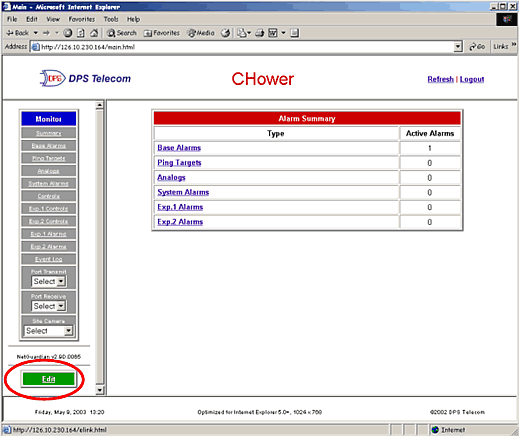
Click the Edit link.
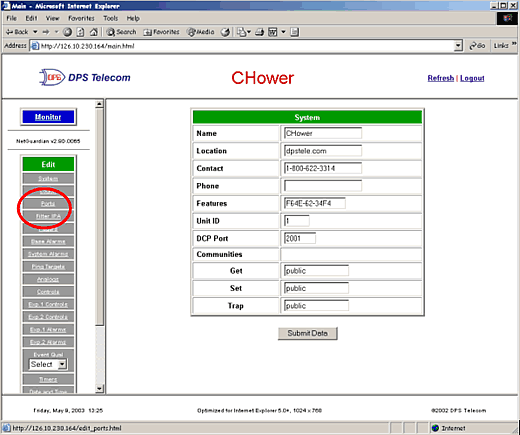
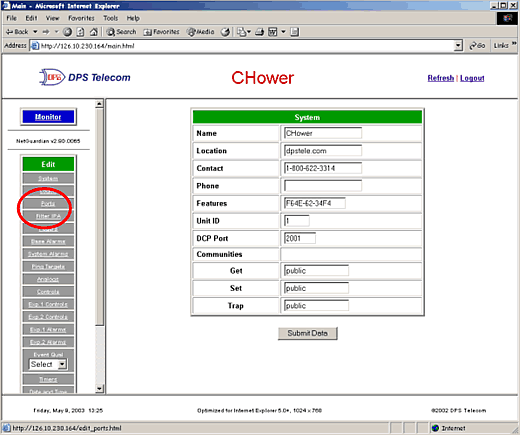
Click the Ports link
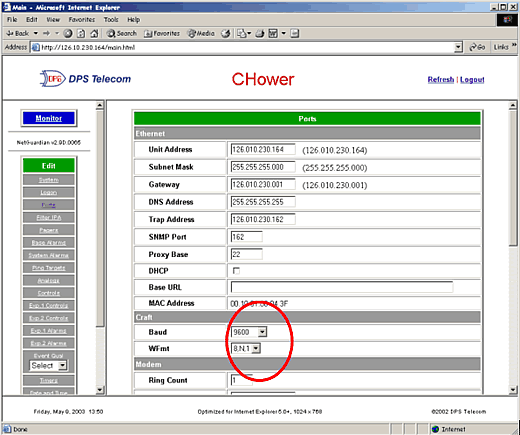
Use the drop down box to change the baud rate of the Craft port. You can change the word format if necessary.
Scroll down and click the submit data button.
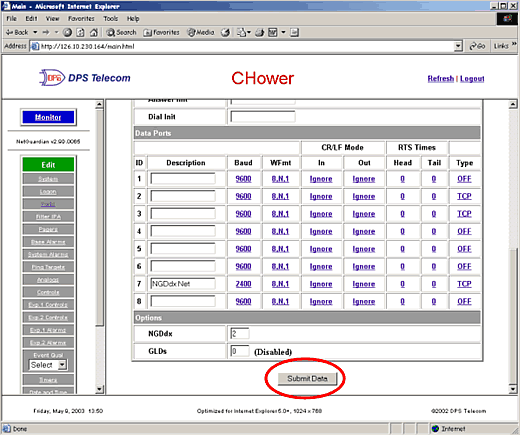
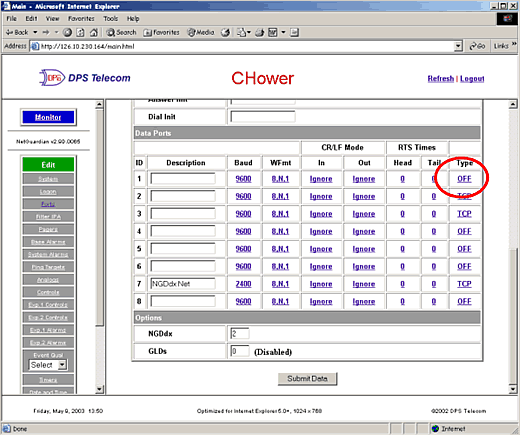
Click on the Type link for the dataport you would like to make your Craft port. Note: older versions of the NetGuardian will have a drop down box in place of the link.
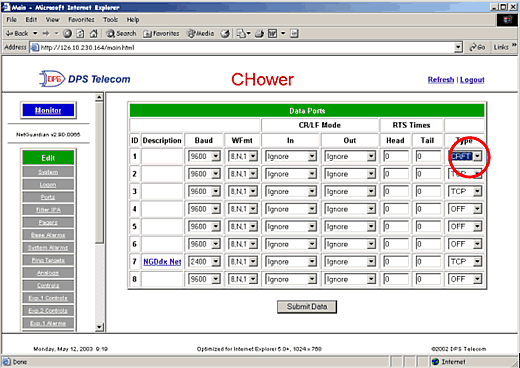
Use the drop down box to change the port type to CRFT, then press the Submit Data button.
Click the Ports link.
Enter "Craft" for the port description. Click the Submit Data button.
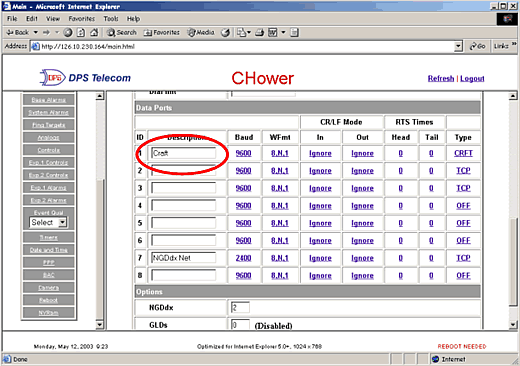
In the lower frame you will see "Reboot Needed". Click the Reboot link in the left frame.
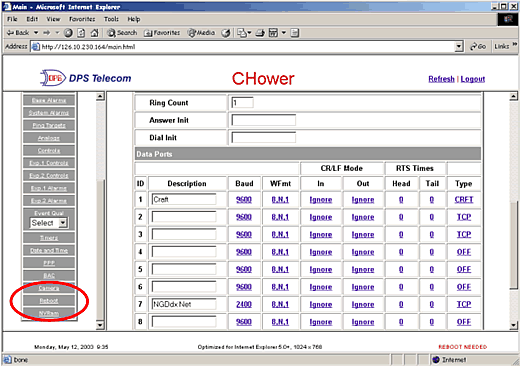
Once the reboot is complete, you will now be able to proxy to the craft port at 115000 baud. You will also be able to access the physical craft interface through the data port configured.
Are you having technical issues and need support?
Give us a call and talk to one of our tech support specialists. They'll help answer any questions you may have.
Tech Support: 559-454-1600 * Fax: 559-454-1688


