
Download White Paper
1 of 18
Next Page: The DPS Telecom Remote Site Troubleshooting Guide - TOC
Go to Last Page

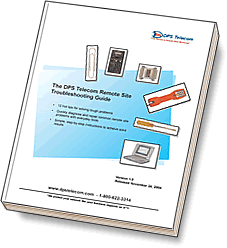
The DPS Telecom Remote Site Troubleshooting Guide

Download this White Paper Now
  • 11 hot tips for solving tough problems
  • Quickly diagnose and repair common remote site
    problems with everyday tools
  • Simple, step-by-step instructions to acheive solid results

Troubleshooting remote site equipment failures can be tedious and frustrating. It's difficult to even know where to start. Even a simple monitoring problem can have several possible causes. And how do you know you've brought the right tools to even diagnose the problem?

This guide will help you cut through the tedium, the frustration, and the uncertainty of troubleshooting. Step-by-step instructions will show you how to isolate and identify common equipment problems, using the ordinary tools that are always in your toolbox.
Download White Paper
1 of 18
Next Page: The DPS Telecom Remote Site Troubleshooting Guide - TOC
Go to Last Page
Next Page: The DPS Telecom Remote Site Troubleshooting Guide - TOC
Related Pages
About DPS Telecom

Contact Information

News & Press Releases

Sales Representatives

DPS Departments

Industries Served

Factory Training Events

Factory Training Signup

Client Success Stories

Client Testimonials

Career Opportunities

Name:

E-mail:

View past issues

Subscription options