Check out our White Paper Series!
A complete library of helpful advice and survival guides for every aspect of system monitoring and control.
1-800-693-0351
Have a specific question? Ask our team of expert engineers and get a specific answer!
Sign up for the next DPS Factory Training!
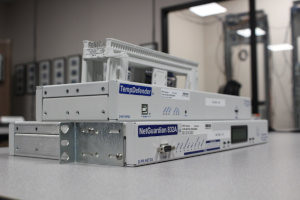
Whether you're new to our equipment or you've used it for years, DPS factory training is the best way to get more from your monitoring.
Reserve Your Seat TodayAlarm and clear notification is a monitoring practice where the system sends a message both when a condition goes bad and when it returns to normal. The alarm tells you something needs attention. The clear tells you it has recovered - or, just as important, that it has not. Many older alarm dialers and sensor phones only call on the alarm, which leaves the on-call technician guessing about everything that happens next.
This article explains why clear notifications matter, how a small site RTU can deliver alarms and clears to a shared on-call inbox, and how to set up door, power, temperature, and generator points so the messages are trustworthy. It is written for small telephone companies, cooperatives, and utilities with a handful of remote cabinets or huts and a small team covering after-hours calls.
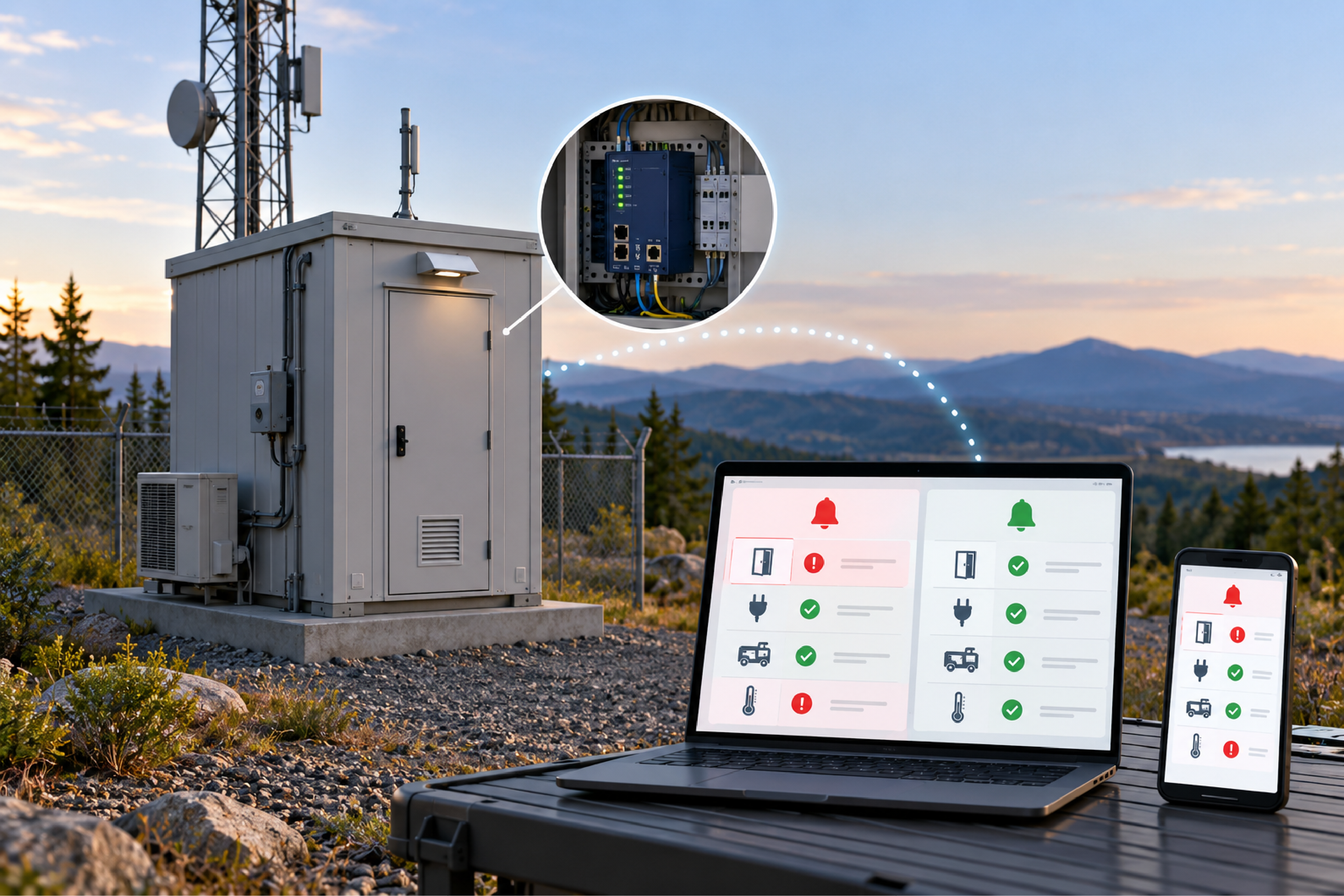
An alarm-only notification tells you when something went wrong but never tells you when it stopped. That sounds like a minor gap until you consider what happens to the condition after the first call.
Consider a common scenario at small rural carriers. Commercial power fails at a remote site, the generator starts, and the alarm dialer calls the on-call phone. Power returns a few hours later. The transfer switch, which should move the site back to utility power and let the generator shut down, sticks. The generator keeps running. Because the dialer only calls on alarms, there is no "power restored" call and no "generator stopped" call - and nobody notices that the second half of the sequence never happened.
Situations like this have run for more than a week before a neighbor or customer called to ask why a generator would not stop. By then the fuel bill, engine wear, and missed maintenance window are real costs.
Clear notifications fix the problem by making silence meaningful. If you received "generator running" but never received "generator stopped," you know to look. The absence of an expected clear becomes its own signal.
A small remote site typically needs a short list of points, chosen for what would send someone on a drive. The goal is to check status from home or a phone without driving to the site.
| Point | Sensor Type | Why It Matters |
|---|---|---|
| Door open | Discrete (normally closed contact) | Unauthorized access and doors left open after a visit |
| Commercial AC power | Discrete (AC power-out sensor) | Starts the battery and generator clock |
| Generator running | Discrete or Modbus | Confirms backup power started - and stopped |
| Transfer switch position | Discrete or Modbus | Shows whether the site is on utility or generator |
| Cabinet temperature | Digital temperature sensor | HVAC failure and equipment overheating |
| -48 VDC plant voltage | Analog input | Battery discharge during an outage |
For most of these, an on or off answer is enough. A power-out sensor that closes a contact when AC is lost tells you everything you need about utility power, without measuring voltage. The DC plant is the exception: a live voltage reading on the main battery bus shows how much runway remains, and voltage monitoring is what turns a power outage alarm into a time estimate.
Temperature is often where small sites have no visibility today. D-Wire digital sensors plug in, identify themselves, and report in real units, so there is no analog scaling to set up. A sensor on a short cable away from the RTU chassis reads the cabinet air more accurately than the built-in sensor, which runs slightly warm.
Many small operators already have a working on-call process built around a shared email inbox. After-hours voicemail, trouble reports, and alarms all land in the same mailbox, and whoever holds the on-call phone watches it. The cleanest monitoring design feeds that inbox rather than inventing a new process.
An RTU that sends email directly needs only a few settings: the mail server address and port, a from address, a to address, and a username and password if the mail server requires authentication. From there:
Larger networks typically forward alarms as SNMP traps to a central manager, and the same RTU can do both. Starting with email and adding SNMP later is a normal growth path.
Nuisance alarms are the fastest way to make a team stop reading notifications. Two RTU settings handle most of them.
Qualification time is how long a condition must persist before the RTU treats it as real. Factory training uses a few memorable examples. A shelter door near a railroad track rattled every time a train passed, producing a burst of open and close events in a few seconds. A qualification time of a couple of seconds filters that out. A water sensor that trips during heavy rain can be given a much longer qualification time, at the cost of a delayed alert for a real leak - a trade-off each team should make deliberately. Qualification can apply to the alarm only, the clear only, or both.
Normally closed wiring makes the door point self-monitoring. With a normally closed door contact, a cut or disconnected wire looks the same as an open door, so tampering with the sensor triggers the alarm instead of silencing it. The RTU's reverse setting makes closed read as clear and open read as alarm. After any change to polarity, test the point by opening and closing the door - a reversed point can look perfectly calm while the door is wide open.
A synthesized, or derived, alarm combines two or more points with logic to create a condition that means more than either point alone. For power and generator monitoring, this is where a small RTU earns its keep.
Useful combinations at a small site include:
You can notify on the individual points, the combined point, or both. If the individual points are informational, leave their notifications off and notify only on the combined alarm, so the inbox gets one meaningful message instead of three.
If the transfer switch offers Modbus, the RTU can poll it for utility and generator status directly. Confirm first whether the switch speaks Modbus over Ethernet or over a serial port, and whether the feature requires a license or a specific model option on the switch side. The Modbus network monitoring page covers what to check.
Once the first unit is configured and tested, there is no reason to build the second one by hand. Most current RTUs can download their full configuration as a backup file and load it into another unit.
Step four is not optional. A configuration backup includes the IP address. Factory trainers tell the story of restoring an old backup onto a remote unit: it came back with the old address, dropped off the network, and the fix required a trip to another state. Change the address on the bench, then ship it.
The same principle applies to hardware selection. A small operator with a handful of sites is best served by one standard model and configuration, not a different build at every location. One build means one set of spares, one training path, and one backup file template. Choosing the right RTU walks through sizing a standard build.
The question deserves a direct answer. If someone gained access to a monitoring unit with only input points, the worst outcome is mostly confusion about alarms. Once control relays are wired, the stakes rise, because a user with access to the controls page could operate those relays - starting a generator, switching a light, or triggering whatever the relay drives.
Sensible practices for small operators:
DPS outlines its approach to secure remote monitoring for teams that want more detail.
Clears tell you whether a condition resolved. Without them, a stuck transfer switch or a generator that never shut down can run unnoticed for days, because nothing calls to say the situation did not return to normal.
Yes. Configure the mail server, port, from and to addresses, and credentials if required, then enable the notification on each point with both alarms and clears selected.
Add a short qualification time so the door must stay open for a few seconds before the RTU alarms. For propped-door detection, a longer qualification of 20 to 30 seconds on a separate derived point works well.
Yes. Download the configuration backup from the first unit and upload it to the second. Change the IP address and name on the bench before deploying, because the backup carries the original address.
Not with digital sensors. D-Wire temperature sensors identify themselves and report in degrees, so no analog scaling is needed. Analog inputs are for standard sensors that output a voltage or current.
RTUs that send email and SNMP directly do not require a cloud subscription to deliver notifications. Optional extended support plans exist, but standard technical support is included.
If your remote sites call when something breaks but never call when it recovers, a small RTU with alarm and clear notifications fills that gap - and catches the long-running generator or stuck transfer switch before a customer does. DPS Telecom has built remote monitoring equipment since 1986 and helps small carriers and cooperatives choose one standard setup they can copy from site to site. Get a Free Consultation, or call 1-800-693-0351 or email sales@dpstele.com.

Andrew Erickson
Andrew Erickson is an Application Engineer at DPS Telecom, a manufacturer of semi-custom remote alarm monitoring systems based in Fresno, California. Andrew brings more than 19 years of experience building site monitoring solutions, developing intuitive user interfaces and documentation, and opt...